Free Topical Authority Builder
By 2Analyst
Turn a long keyword list into a clearer content plan. The 2Analyst Topical Authority Builder helps you organize related keywords into topic clusters, so you can plan content with purpose and work towards stronger coverage of your subject.
Topical Authority Builder by 2Analyst
Combine Ahrefs, Semrush, and Google Keyword Planner keywords into a clear topic and page plan. Use any one, two, or all three sources.
Give Your Keyword Research A Clear Direction
Finding keywords is only the beginning. The next challenge is understanding how they fit together and deciding what content to create.
Our Topical Authority Builder helps you make sense of keyword data from Ahrefs, Semrush, and Google Keyword Planner. Instead of sorting every keyword manually, use the tool to create topical clusters that give your content planning a practical starting point.
Whether you manage your own website or plan content for clients, you can turn scattered research into a more organized SEO workflow.
Why Topic Clusters Matter For SEO
A useful website answers more than one question about a subject. It helps visitors understand the main topic, explore related questions, and find the details they need.
Topic clusters help you plan that coverage. By organizing related keywords, you can see how individual articles could support broader topic pages and where your existing content may need more depth.
The Topical Authority Builder helps you:
- Reduce manual sorting: Spend less time organizing keyword lists and more time reviewing content opportunities.
- Plan connected content: Identify related subjects that could form part of the same content strategy.
- Review gaps in your coverage: Compare clusters with your existing pages to find subjects you have not yet addressed.
- Make clearer content decisions: Use keyword groups as a starting point for deciding what to create, expand, or combine.
- Plan useful internal links: Identify related pages that could help readers explore a topic further.
Topical authority develops through useful, accurate content and consistent coverage. This tool supports the planning process; clusters alone do not establish authority or guarantee rankings.
How To Use The Topical Authority Builder
Turn your keyword research into clear topic groups for your website. Follow these steps to import data from Ahrefs, Semrush, or Google Keyword Planner and start planning your content.
Step 1: Export Your Keyword Data
Choose a main topic related to your business, services, or audience. You can use keywords from one platform or combine data from multiple platforms.
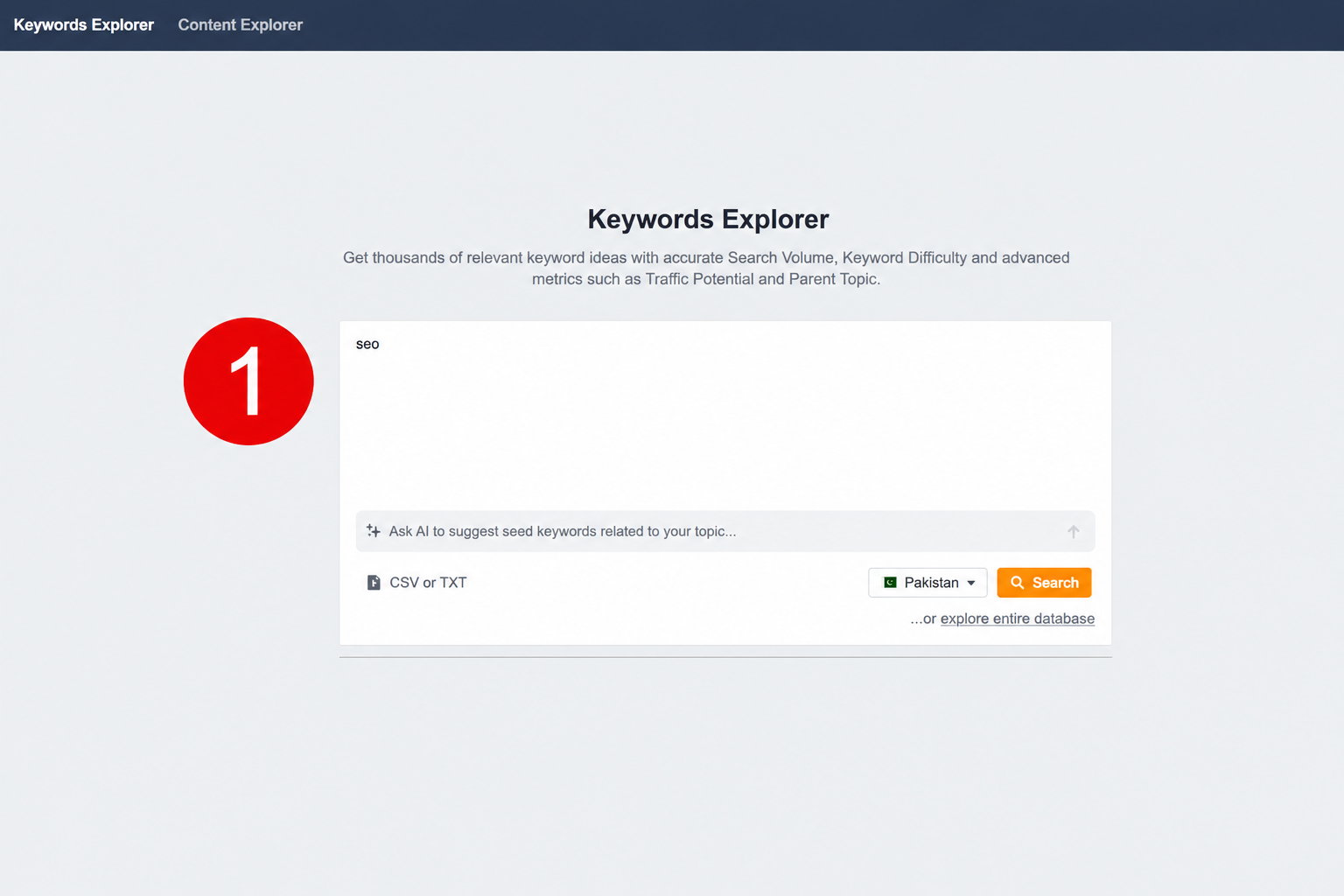
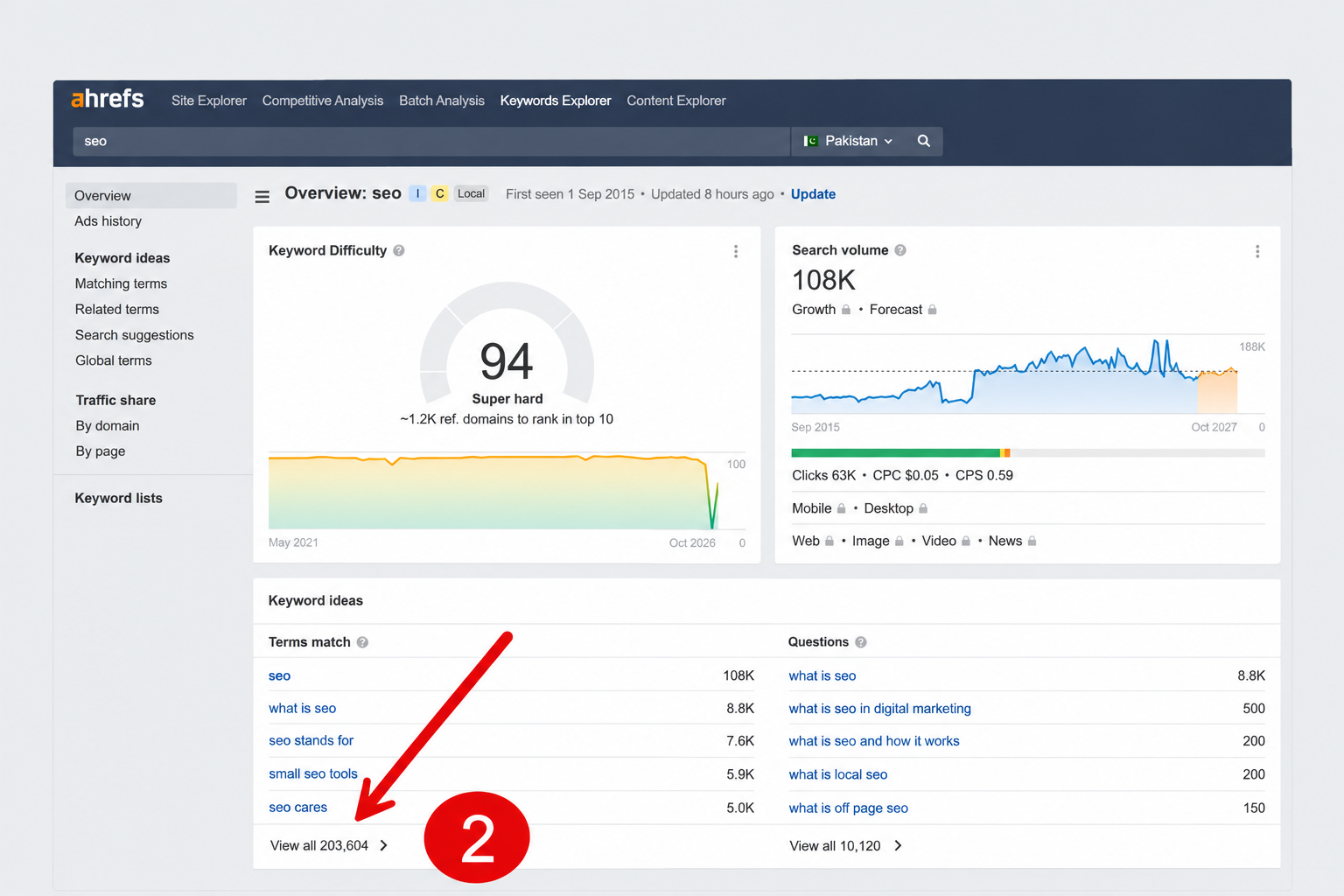
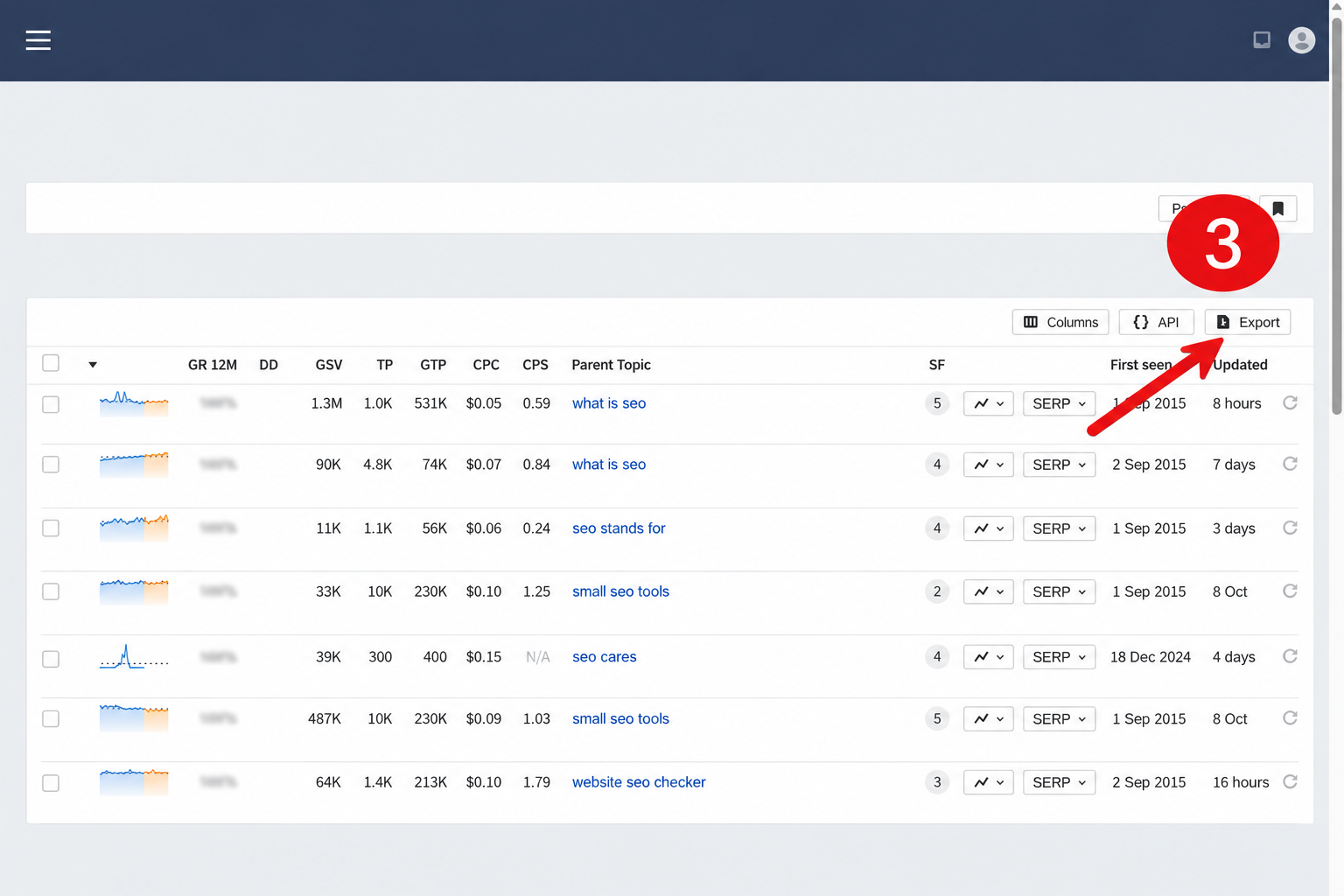
Using Ahrefs:
- Enter main keyword
- Open the relevant keyword ideas report. Click View all if shown.
- Click Export to download keyword list
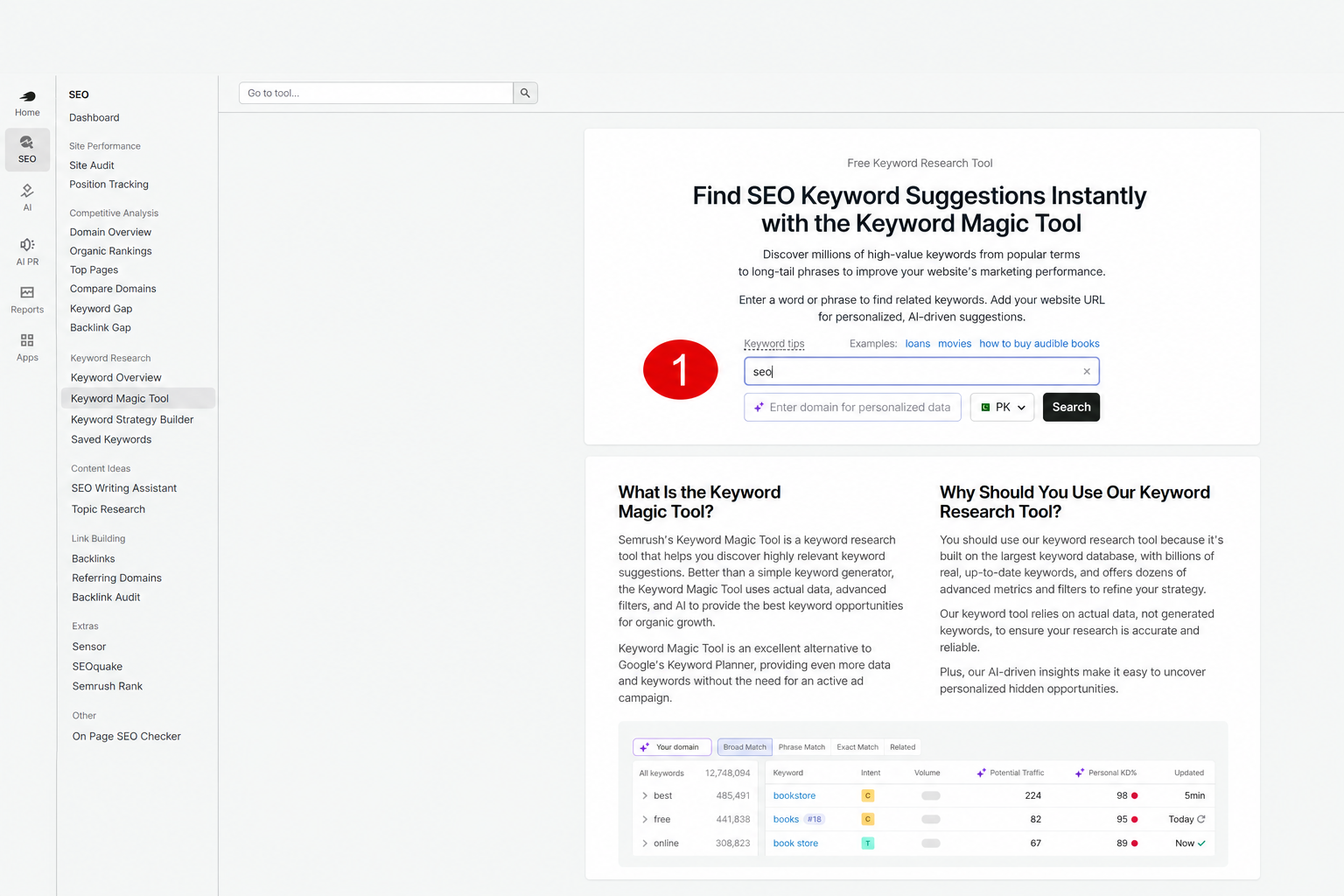
Using Semrush:
- Enter your main keyword in Semrush.
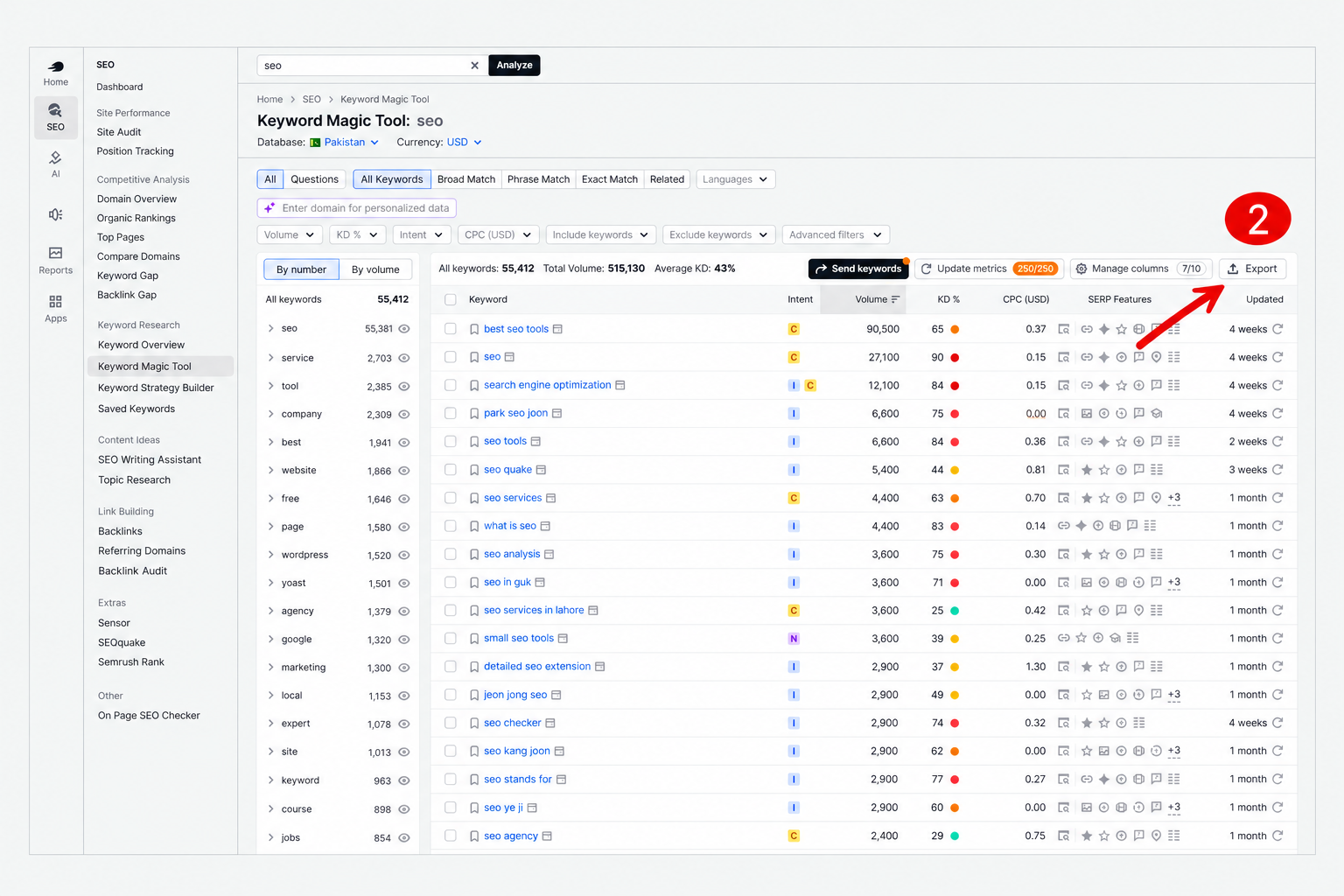
- Open the keyword results you want to use.
- Click Export to download your keyword list.
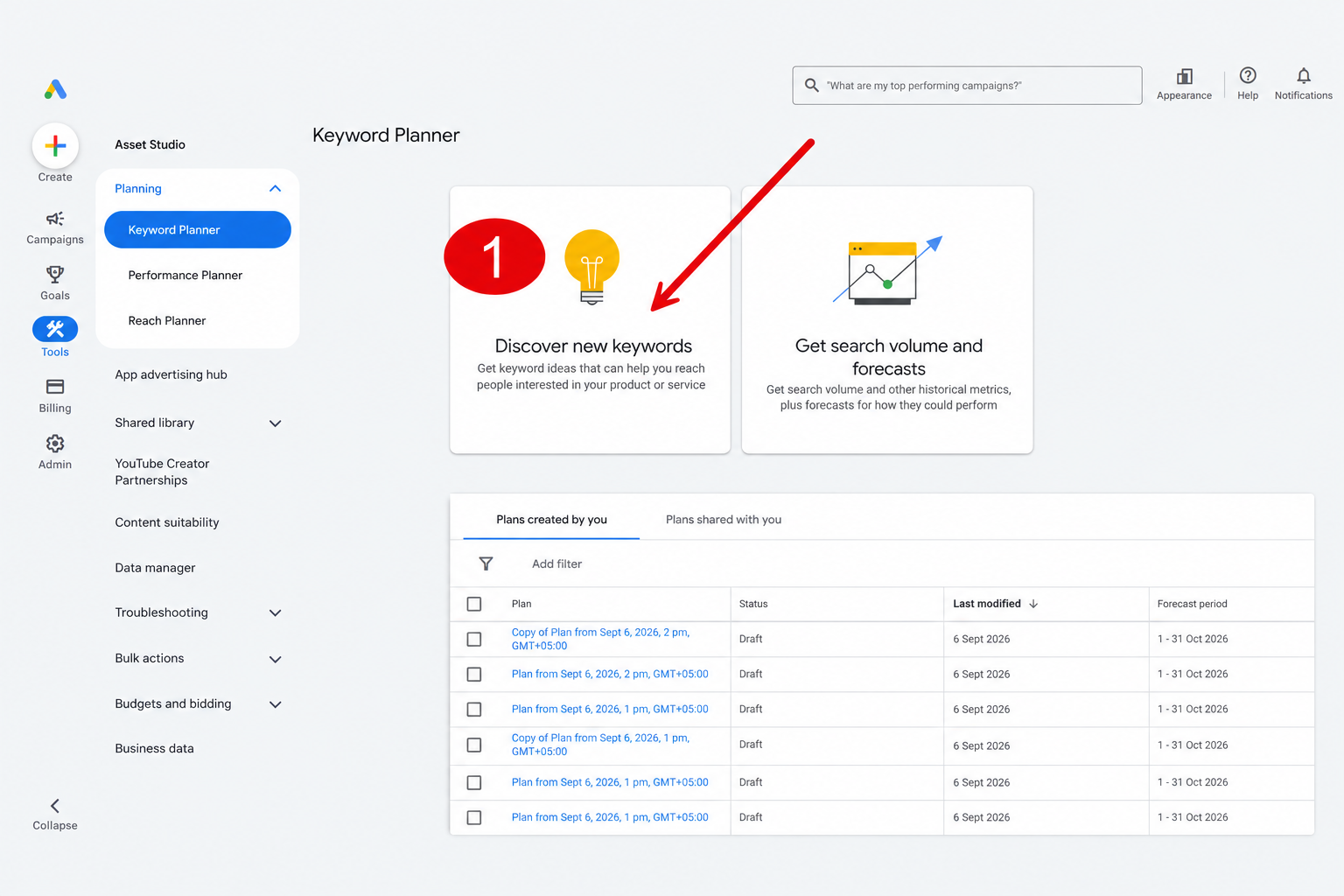
Using Google Keyword Planner:
- Select Discover new keywords.
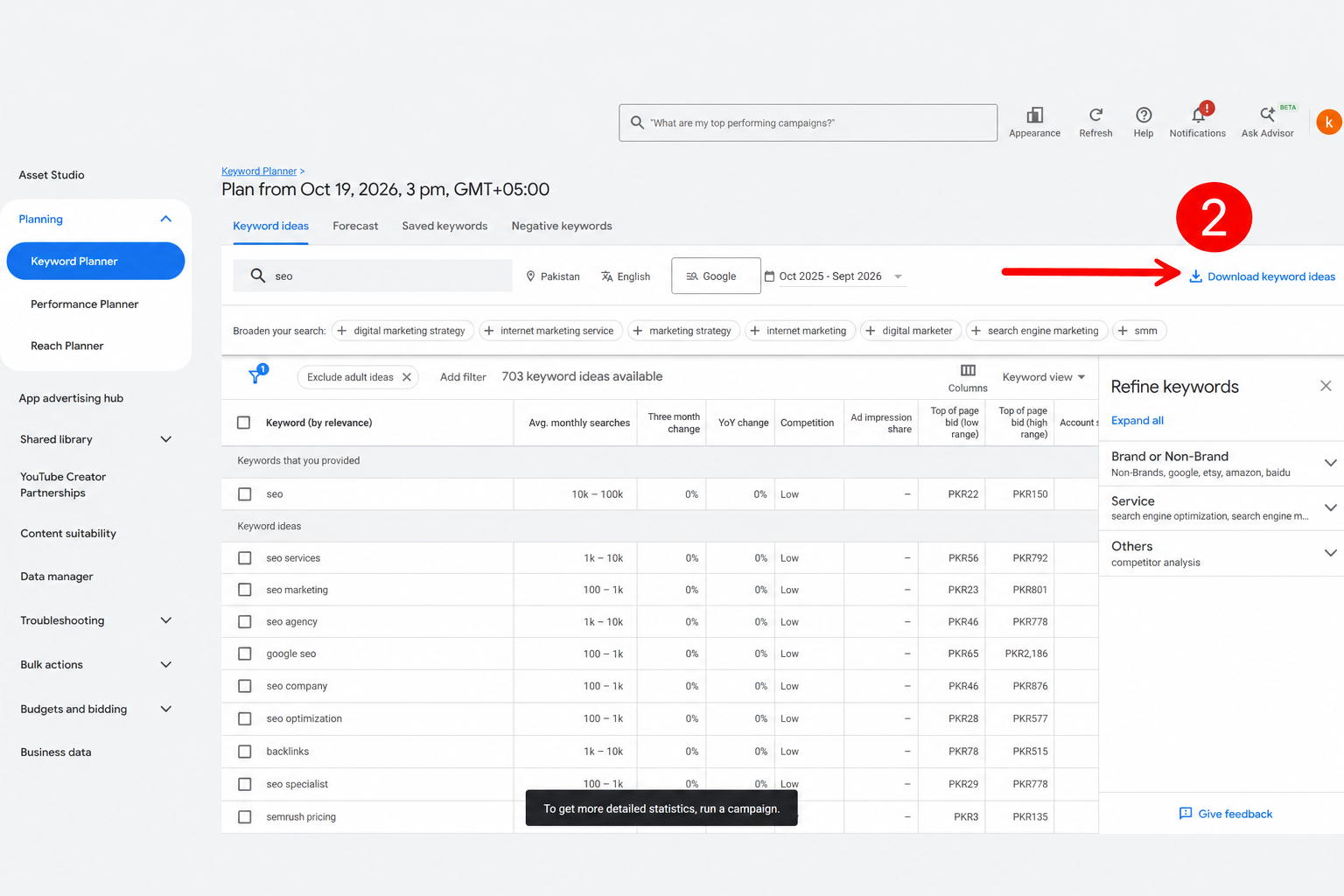
- Enter your main keyword and choose your target location and language.
- Download the keyword ideas.
Step 2: Add Your Keywords To The Google Sheet
Open the template below, then select File → Make a copy to save your own version.
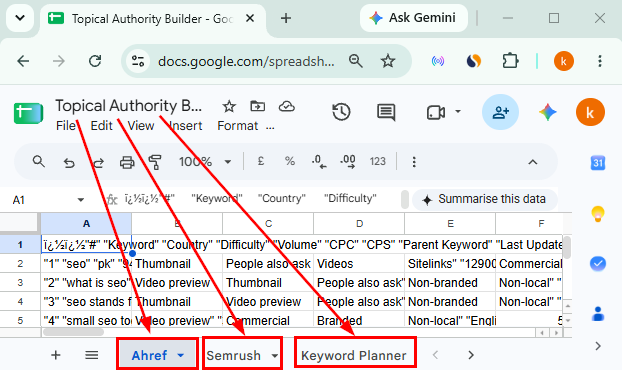
Paste your keyword data into the matching tab:
| Keyword Source | Where To Paste Your Data |
|---|---|
| Ahrefs | Ahrefs Tab |
| Semrush | Semrush Tab |
| Google Keyword Planner | Keyword Planner Tab |
Match your data to the template’s column headings. Only fill in the tabs for the platforms you use; leave the others empty.
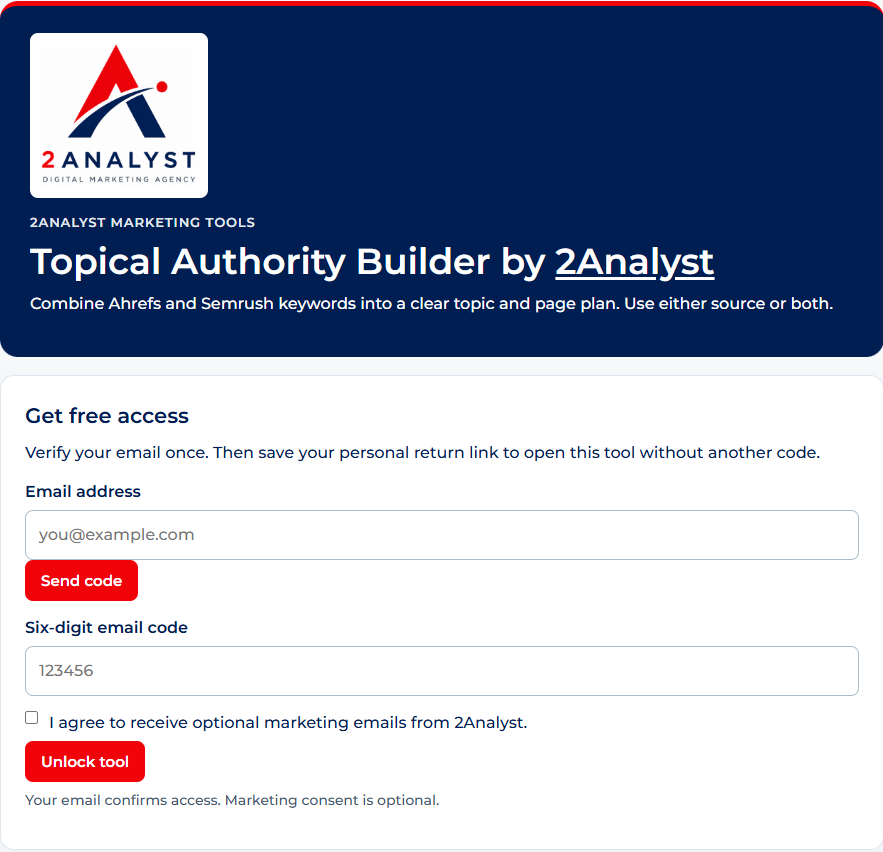
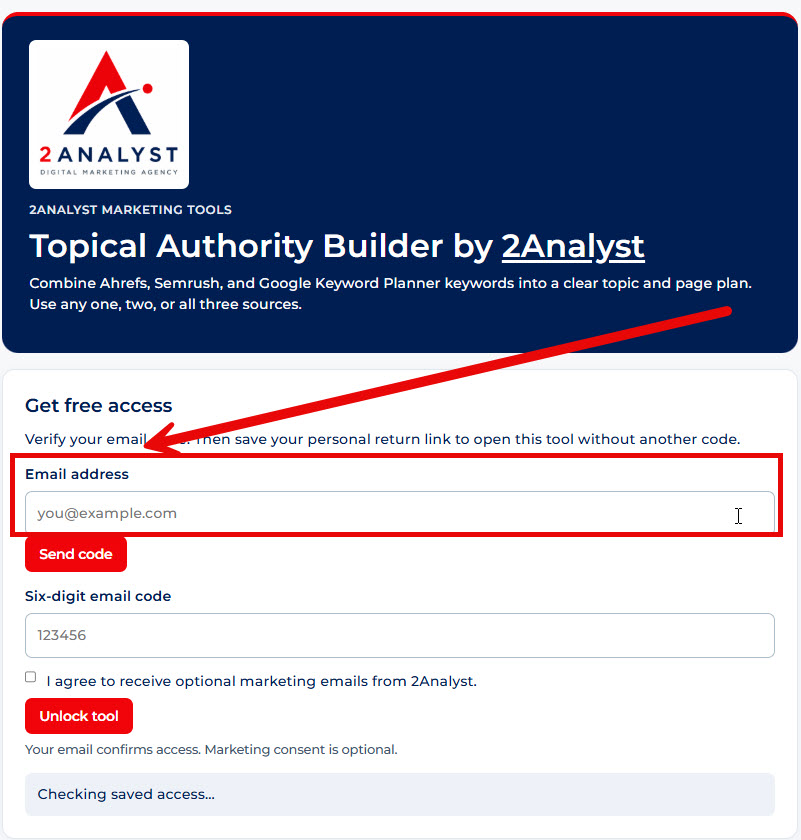
Sign Up Topical Authority Builder
Enter your email address and verify it using the one-time code sent to your email inbox.
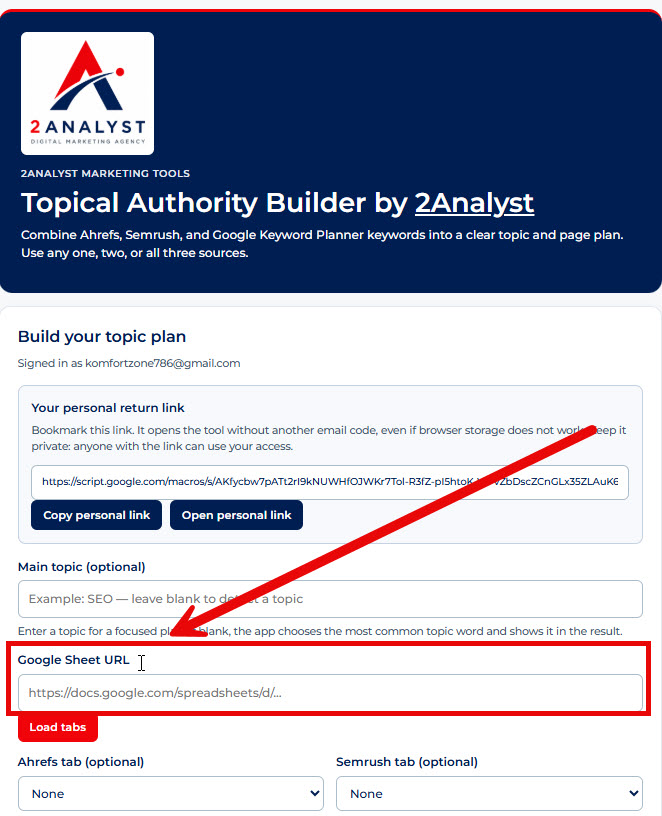
Paste Your Google Sheet Link
Copy the link to your own Google Sheet containing the keyword data. Paste it into the tool’s Google Sheet URL field.
Load Your Tabs
Click Load Tabs to load the available tabs from your spreadsheet. Select the tabs containing your keyword data if prompted.
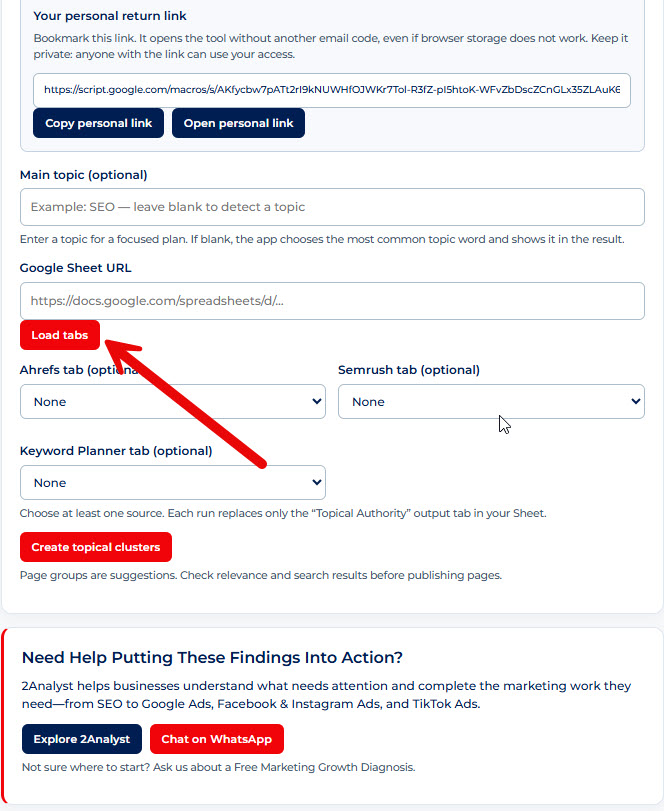
Create Your Topic Clusters
Click Create Topical Cluster to start processing your keywords.
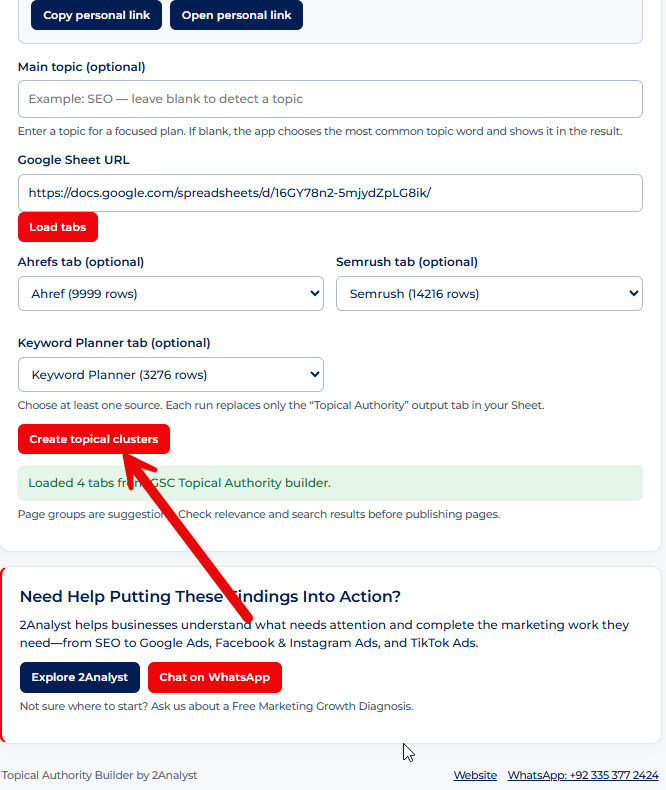
Wait for the tool to finish, then review the results. Your topic groups give you a starting point for deciding which subjects your website should cover.
Turn Your Topic Clusters Into A Content Plan
Use your results to decide what to create, improve, and connect on your website.
- Start with relevant topics. Choose groups that match your services, products, and audience.
- Check your existing pages. Review what you already cover before creating something new.
- Match the search intent. Think about whether the reader wants to learn, compare options, or buy.
- Group keywords thoughtfully. Similar keywords may fit on one page. Different needs may require separate pages.
- Connect related content. Add useful internal links between your main topic pages and supporting pages.
Avoid creating a separate article for every keyword. Focus on useful pages that answer readers’ questions with clear information, real examples, and your own expertise.
Start Building A More Focused SEO Content Plan
Put your keyword research to work with the 2Analyst Topical Authority Builder. Organize related keywords, find topics worth covering, and plan your next content updates with a clearer direction.
Free access applies to the 2Analyst tool. Access to Ahrefs, Semrush, or Google Keyword Planner, including any export requirements or charges, is separate.
Start Building A More Focused SEO Content Plan
Put your keyword research to work with the 2Analyst Topical Authority Builder. Organize related keywords, find topics worth covering, and plan your next content updates with a clearer direction.